Every element deserves some attention So last week I was stalking some website which seemed interesting to me. And when doing that i found the interesting app https://linear.app/.
In short the app is a productivity app if somebody is interested.
The app has some uniq feature that i haven’t seen before. I would like to highlight the the card lightning effect which can be seen below.
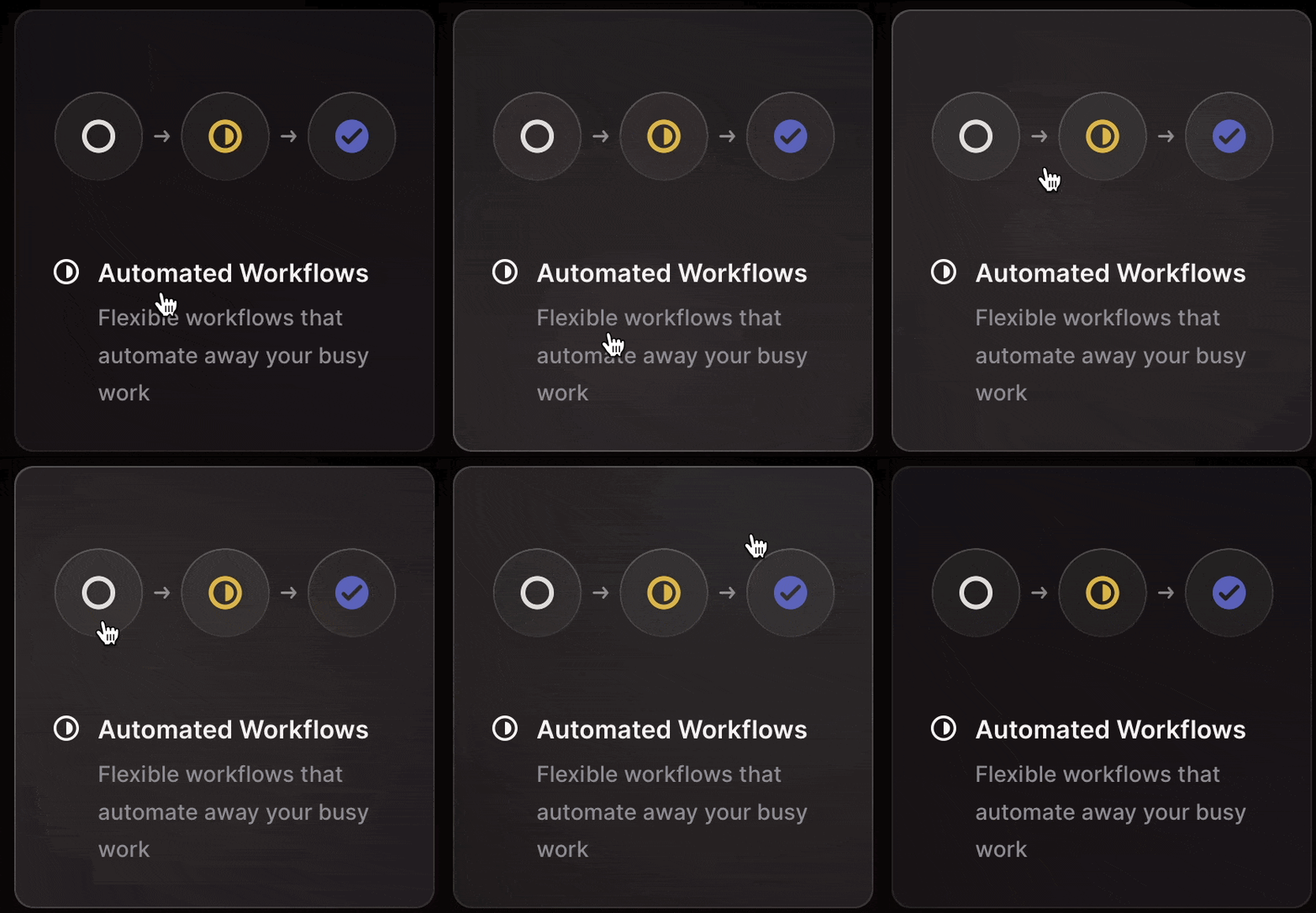
Can you see the light source on the card?
Quite cool don’t you think. But how does it work?
To be honest it is not complicated as i first thought.
Below you can see the whole code go over it and try to understand it for 5 minutes 😉
<p
  class="codepen"
  data-height="300"
  data-default-tab="html"
  data-slug-hash="NWBBdWK"
  data-user="amatelic"
  style="height: 300px; box-sizing: border-box; display: flex; align-items: center; justify-content: center; border: 2px solid; margin: 1em 0; padding: 1em;"
>
  <span
    >See the Pen
    <a href="https://codepen.io/amatelic/pen/NWBBdWK"> Light effect</a> by
    amatelic (<a href="https://codepen.io/amatelic">@amatelic</a>) on
    <a href="https://codepen.io">CodePen</a>.</span
  >
</p>
<script async src="https://cpwebassets.codepen.io/assets/embed/ei.js"></script>
Ok, I hope you want over the code in the last 5 minutes. As you can see the HTML is simple. The effect is being done by the effect class where we are adding an extra gradient layer. But the more important question is what are those --x and --y value?
.effect {
  background: radial-gradient(
    400px circle at var(--x) var(--y),
    rgba(255, 255, 255, 0.1),
    transparent
  );
}
Those are css variables which are used for positioning our light source on the card.
Ok, I understand that but still how does the light source move on the mouse move?
Good question 🤔
For that, we are needing some help from our good old friend Javascript With the help of JS we are adding some event listeners to our card element. In our case, we register the mouse events enter, move and leave. Each event is used for executing specific logic in the card element.
card.addEventListener("mouseenter", e => {
  effect.style.opacity = 1;
});
card.addEventListener("mousemove", e => {
  const { x, y } = e;
  const { top, left, width, height } = card.getBoundingClientRect();

  if (left < x && x < left + width) {
    effect.style.setProperty("--x", x - left + "px");
  }

  if (top < y && y < top + height) {
    effect.style.setProperty("--y", y - top + "px");
  }
});
card.addEventListener("mouseleave", e => {
  effect.style.opacity = 0;
});
For example on the mouse enter we tell our effect class to show on the card. On the mouse move event we are doing the hard work where we are calculating the correct position of the light effect on our card and setting those values on the CSS property --x and --y which then correctly positioned the light source on the card. And last but not list the leave event which is used for hiding the effect when we are leaving the card. The effect is quite cool and not to complicated i hope you like the explanation and in the future you will maybe use this technique your project